
No More Downtime: Innodisk RAID Solutions for Always-On Industrial Systems
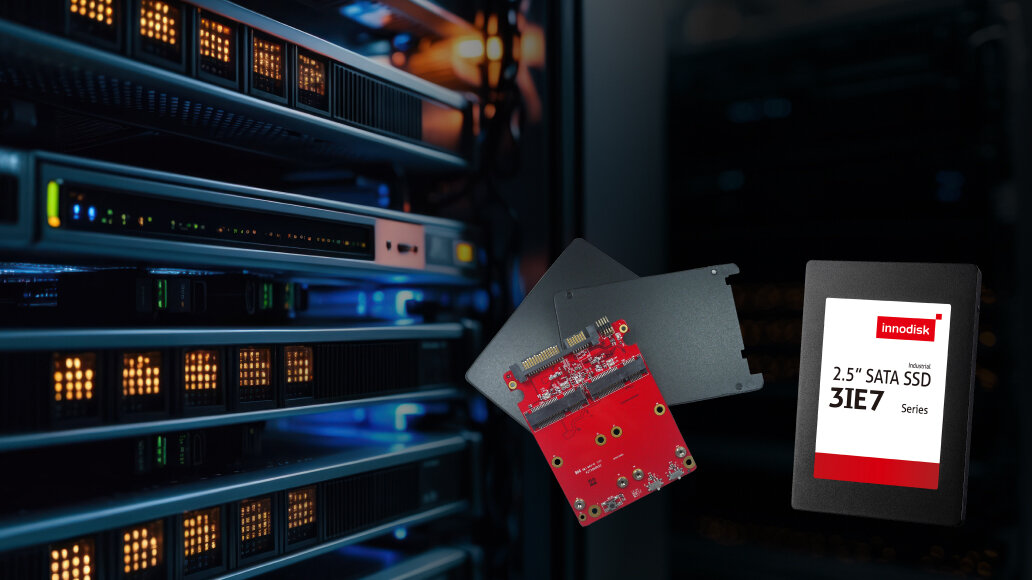
In today’s AI-driven, data-centric world, it is not only about faster computing. Keeping data safe and systems running is just as important, especially in applications that require continuous operation.
Servers, routers, medical systems, and edge AI devices all need to stay online even when hardware fails. These environments also demand high data throughput, reliable storage, and nonstop operation to keep critical workloads running smoothly.
To meet these needs, we need a solution that improves performance and maintains uptime. This is where RAID comes in.
RAID vs. Backup SSDs: What’s the Difference?
RAID (Redundant Array of Independent Disks) is a way of organizing multiple SSDs into an array to improve performance or reliability. But it is not the same as a backup. RAID improves fault tolerance by introducing redundancy: if a disk fails, data is still accessible from another. This keeps systems running without downtime when hardware fails.
Think of redundancy like a twin-engine aircraft — if one engine gives out, you’re still flying. That’s what RAID does: it keeps the system alive when things go wrong at the hardware level. It stores synchronized data across multiple drives, all located within the same machine, so operations continue seamlessly even when one part fails.
Backup, by contrast, is aircraft’s black box. It stores a separate copy of your data, typically offsite or in the cloud. It's not about staying online — it's about recovering after disaster. And while it’s essential for data recovery, it won't prevent interruptions in real time.
Here’s the key distinction:
Redundancy gives you continuity — the system keeps going.
Backup gives you recovery — the system comes back after going down.
And in environments where downtime isn’t just annoying but expensive, dangerous or unacceptable, RAID isn’t optional. It’s essential.
In the next section, we’ll dive deeper into how it works, and how to choose the right solution for your system.
RAID 0 and RAID 1 Explained
RAID comes in several levels, each offering a different balance of performance and redundancy. Here, we’ll focus on the two simplest and most commonly used types in industrial and embedded applications: RAID 0 and RAID 1.
RAID 0 distributes data across two or more drives, with each drive storing only a portion of the total data. This striped layout enables parallel access, significantly improving overall transfer performance.
RAID 1, on the other hand, is based on mirroring—the same data is written to two drives at the same time. Every write operation is duplicated in real time, so if one drive fails, the other still holds a complete, usable copy. This ensures the system can continue running without interruption, even in the event of a drive failure.
There are several ways to get RAID 0 or RAID 1 up and running. In this article, we focus on the two main approaches: using a hardware RAID card, or choosing an SSD with Die RAID support.
Hardware RAID Cards: Tiny Modules for Big Reliability
Some motherboards come with built-in RAID support, also known as onboard RAID. To set up a RAID array this way, the system typically needs two or more SSDs connected directly to the motherboard.
However, in industrial and embedded environments, space is often limited. Many systems only have room for a single 2.5-inch drive or a compact interface such as mini-PCIe or M.2. In these cases, embedded RAID modules offer a smart and space-efficient solution.
Also referred to as RAID cards, these small controller boards allow multiple flash storage devices to be connected and presented to the system as a single logical drive. The module handles RAID 0 for enhanced performance or RAID 1 for redundancy, all internally.
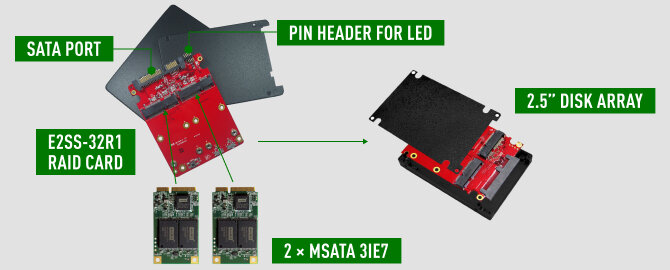
One example is the Innodisk E2SS-32R1, a disk array module designed to fit into a standard 2.5-inch drive bay. It can host two mSATA SSDs and connects to the system through a single SATA port. To the operating system, it appears as a single drive, but internally it runs either a striped array for speed or a mirrored array for data protection.
Because this module uses a hardware RAID controller, often referred to as a port multiplier, the RAID logic operates independently of the host system. There is minimal CPU load and no need for additional software drivers. This makes it possible to build a reliable RAID setup even in systems that only have one drive slot, without changing the existing system architecture.
The Innodisk RAID module is designed with industrial needs in mind. It is compact, durable, and built to handle harsh conditions. It includes a pin header for LED indicators, which can be wired to show RAID activity or alert users to drive failures from the outside of the chassis. The module also supports wide temperature operation and is resistant to shock and vibration, making it suitable for field deployments.
Additionally, Innodisk provides a software management tool called iRAID, which allows users to configure RAID modes, monitor drive status in real time, and receive alerts through notifications when something goes wrong. This is especially valuable in remote or unmanned systems, where early warnings can help prevent complete failure. If a drive fails, the user simply replaces it, and the system automatically rebuilds the mirror in the background while staying online the entire time.
Of course, a RAID module is only as strong as the SSDs it works with. When paired with Innodisk’s industrial-grade mSATA SSDs, such as the mSATA 3IE7 series, the result is a high-reliability storage solution. These SSDs include features like PLP (iCell) Technology and iData Guard, which protects data during unexpected power loss. Together with RAID 1 mirroring, this setup greatly improves both performance and system resilience.
This combination of reliable SSDs and a compact RAID module has been adopted by many system integrators, proving its value in real-world industrial deployments.
Die-RAID SSDs: Redundancy Built Inside the Drive
Now, what if you do not need high capacity but still want to add redundancy within a single drive? This is where the concept of Die RAID inside SSDs becomes relevant.
A Die-RAID SSD is a solid-state drive that provides RAID-like protection across its internal memory chips. Instead of using multiple physical drives, the SSD controller organizes the NAND flash chips inside the drive into a kind of array. It stores both the data and parity information across these chips. If one block of memory becomes unreadable and regular error correction cannot recover it, the controller can reconstruct the missing data using parity, just like how a traditional RAID setup restores data from a failed disk.
This internal redundancy greatly improves the endurance and reliability of the SSD. By dedicating part of the flash to parity, the drive can handle more write and erase cycles. Even if some parts of the flash start to wear out, the data remains safe thanks to this internal recovery mechanism. It is essentially a built-in safety net.
There is one trade-off. Because part of the capacity is used for parity, the usable storage space is slightly less than on a comparable non-RAID SSD. However, in industrial environments, giving up a bit of space in exchange for improved data protection and longer lifespan is often a smart choice.
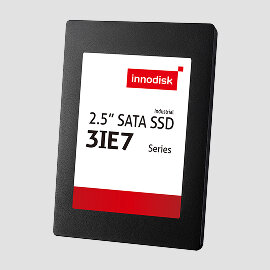
A good example of this technology is Innodisk’s 2.5" SATA SSD 3IE7. It is an industrial-grade drive that includes several layers of reliability features, including Die RAID. This kind of SSD is ideal for edge systems that do not require large storage but do need compact, durable, and fault-tolerant solutions.
To sum it up with an analogy: a RAID card paired with two SSDs is like having two hearts. If one stops, the other keeps you alive. A Die-RAID SSD is like a single heart equipped with internal safeguards. Both approaches enhance reliability, but they work at different levels of the system.
Choosing Between a RAID Card and a Die-RAID SSD
Both hardware RAID cards and die-RAID SSDs aim to prevent data loss and downtime, but they excel in different scenarios. The best choice depends on your application’s requirements, constraints, and priorities.
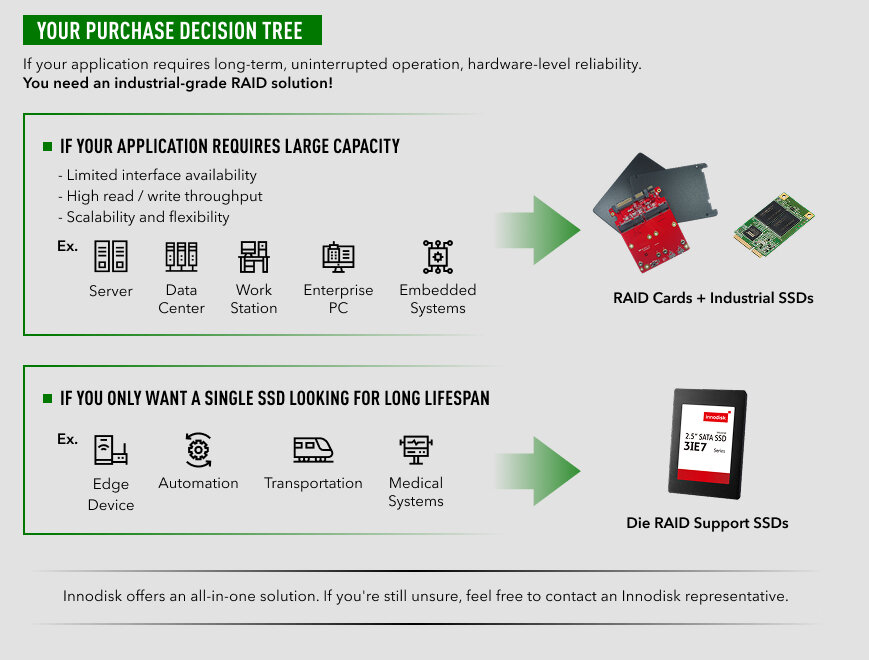
Innodisk offers an all-in-one solution. If you're still unsure, feel free to contact an Innodisk representative.
Proven Trust: RAID Card in Industrial Desktop PCs
A leading Japanese PC manufacturer, known for its reliable commercial desktop systems, needed to ensure continuous operation and prevent any data loss in certain business-focused models. These PCs are often deployed in environments such as factory control systems and retail point of sale, where failure is simply not an option. The commercial use case also required simultaneous connection of multiple SSDs. However, the limited number of onboard SATA ports often caused performance bottlenecks.
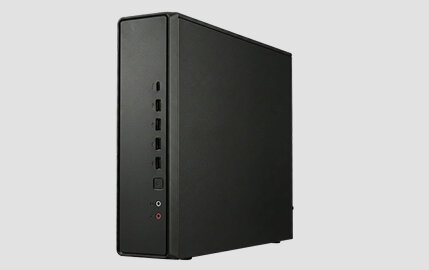
The systems had space for only one internal 2.5-inch drive. The challenge was how to add RAID-level redundancy without redesigning the entire machine. Given the need for industrial-grade reliability, the customer chose Innodisk’s E2SS-32R1 RAID module paired with our mSATA 3IE7 industrial SSDs. This compact RAID card allows two mSATA drives to be configured in RAID 1 for redundancy while using only one SATA port.
Innodisk specializes in industrial and enterprise-grade solutions. Compared to typical consumer brands, our experienced and responsive FAE team works closely with customers to analyze failures and assist with system integration. This makes it easy for customers to implement the right solution without complications. The customer has worked with Innodisk for many years and continues to trust the proven reliability of our products.
This real-world deployment proves that fault tolerance is not just a data center concern. Even compact edge and embedded systems benefit from robust RAID protection.
Innodisk has long focused on industrial solutions, offering a wide range of products from expansion modules to storage and more, and is well equipped to deliver the best solutions for customers.
Related White Paper
1. Innodisk_enhanced_flash_endurance_with_die_raid_white_paper.pdf
2. Innodisk_embedded_raid_1_solution_white_paper_en.pdf
Related Case Study
1. Providing a Fail-safe Inspection
2. A More Reliable Commute

How CXL Breaks the Memory Bottleneck
As AI and real-time processing workloads continue to grow, systems increasingly rely on more powerful CPUs and accelerators to process large amounts of data. As compute capability increases, system architects are hitting the memory wall faster than ever.
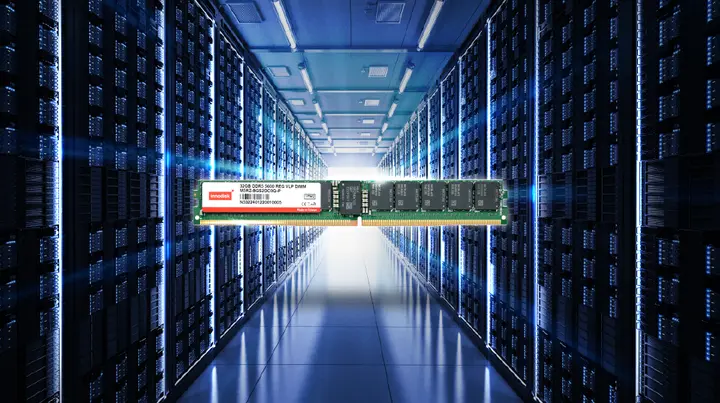
Efficiency in Every Inch: Exploring the Space-Saving Benefits of DDR5 RDIMM VLP
As the demand for high-performance computing solutions and the complexity of data-driven applications continue to grow, the challenges of space-constrained scenarios become more noticeable. That’s where the DDR5 RDIMM VLP comes in. Join us on a journey th